The Future of Metal 3D Printing Management: 2Connect
In the fast-paced world of metal 3D printing, precise control is key. With the 2Connect web application, you get instant access to all relevant data and strategies for your 3D printers – centralized, clear, and always up to date.
Take full control of your 3D printers with a clear, centralized dashboard for efficient management.
A Marketplace for Print Strategies
Instantly access validated print strategies and integrate them seamlessly into your metal 3D printing workflow.
Integrated & Connected
Access all printer information anytime, anywhere for transparent, efficient metal 3D printing.
Full Control and Transparency With 2Connect
Dashboard Overview
Tailored Print Strategies
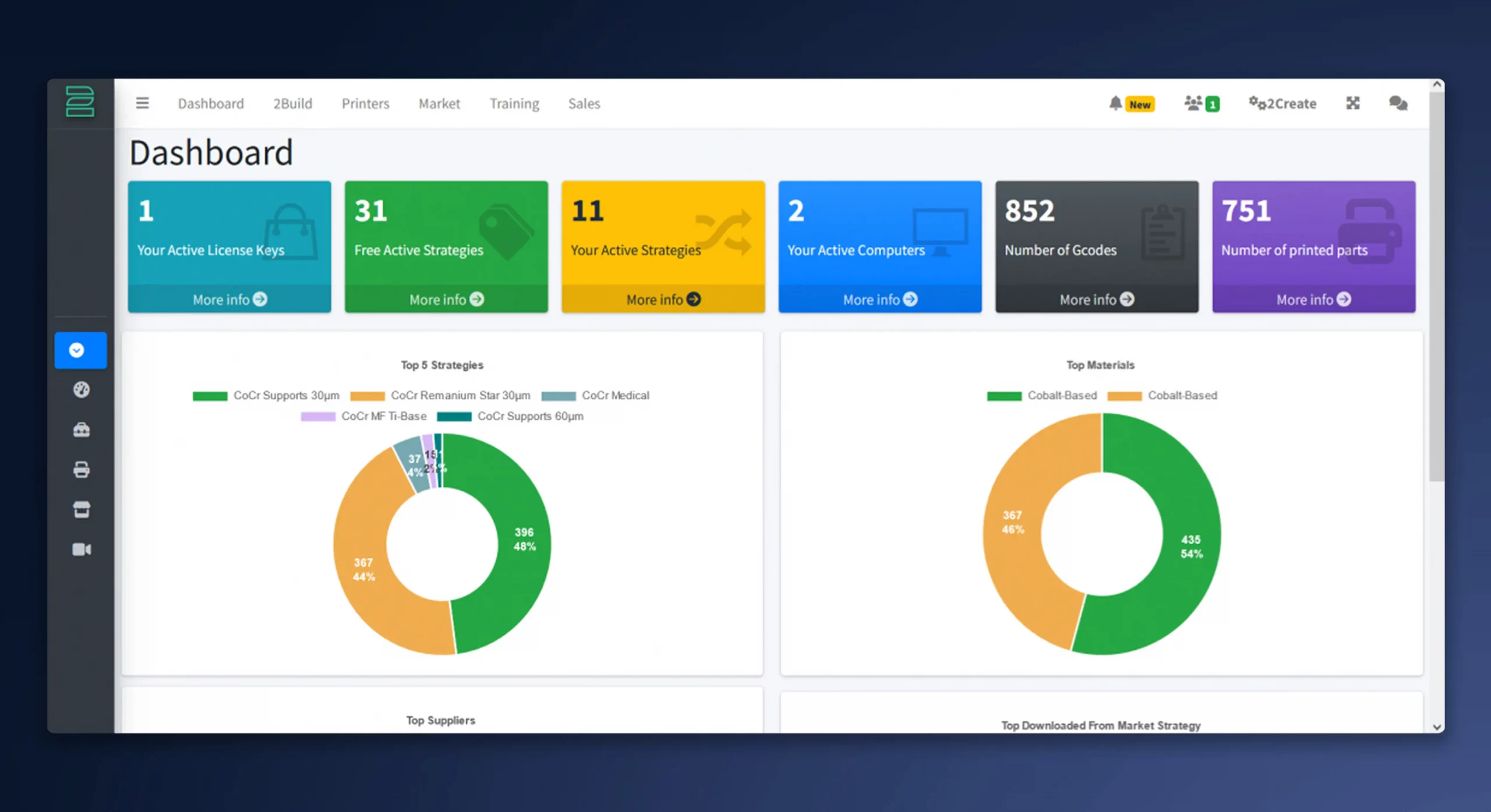
2Connect is a user-friendly platform providing a central hub for all relevant metal 3D printing information, with live updates on completed jobs, commonly used strategies, and materials.
Key Features
After logging in with their personal account, users receive live updates about their system
Whether it’s the number of completed print jobs, most commonly used strategies or materials
2Connect provides all the essential data
The Marketplace for Print Strategies
Optimized Parameters for Metal 3D Printing
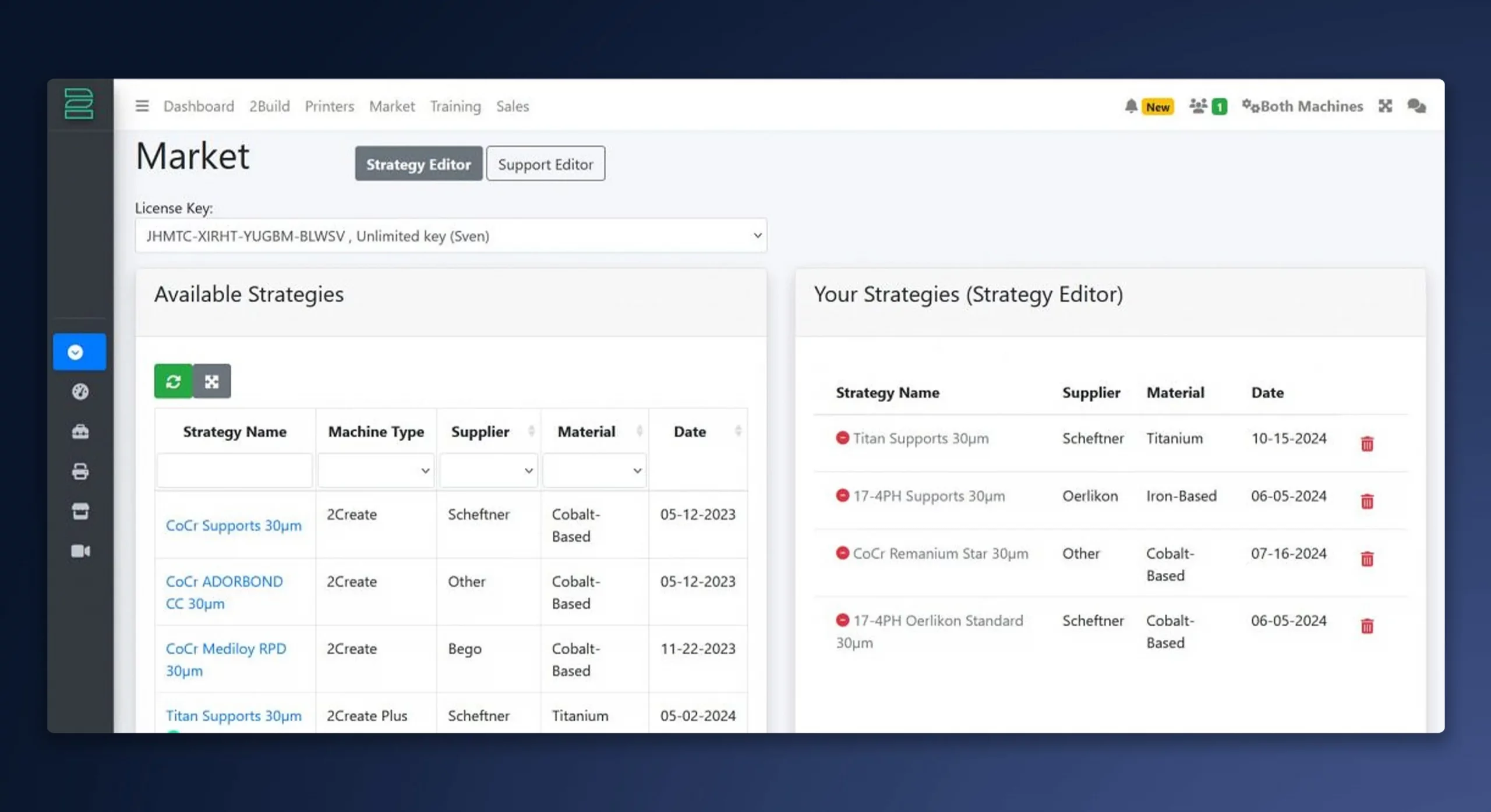
2Connect offers a central library of validated print parameters or strategies for various alloys and suppliers, all verified by 2oneLab and available for free download to ensure optimal results and maximum flexibility.
Key Features
A print parameter, such as laser power, speed, and many other settings to achieve optimal results
These strategies are specifically tailored to different metal powders and alloys, such as cobalt-chromium and titanium, which are commonly used in the dental industry
Executed Prints
Strategy and Print Summary
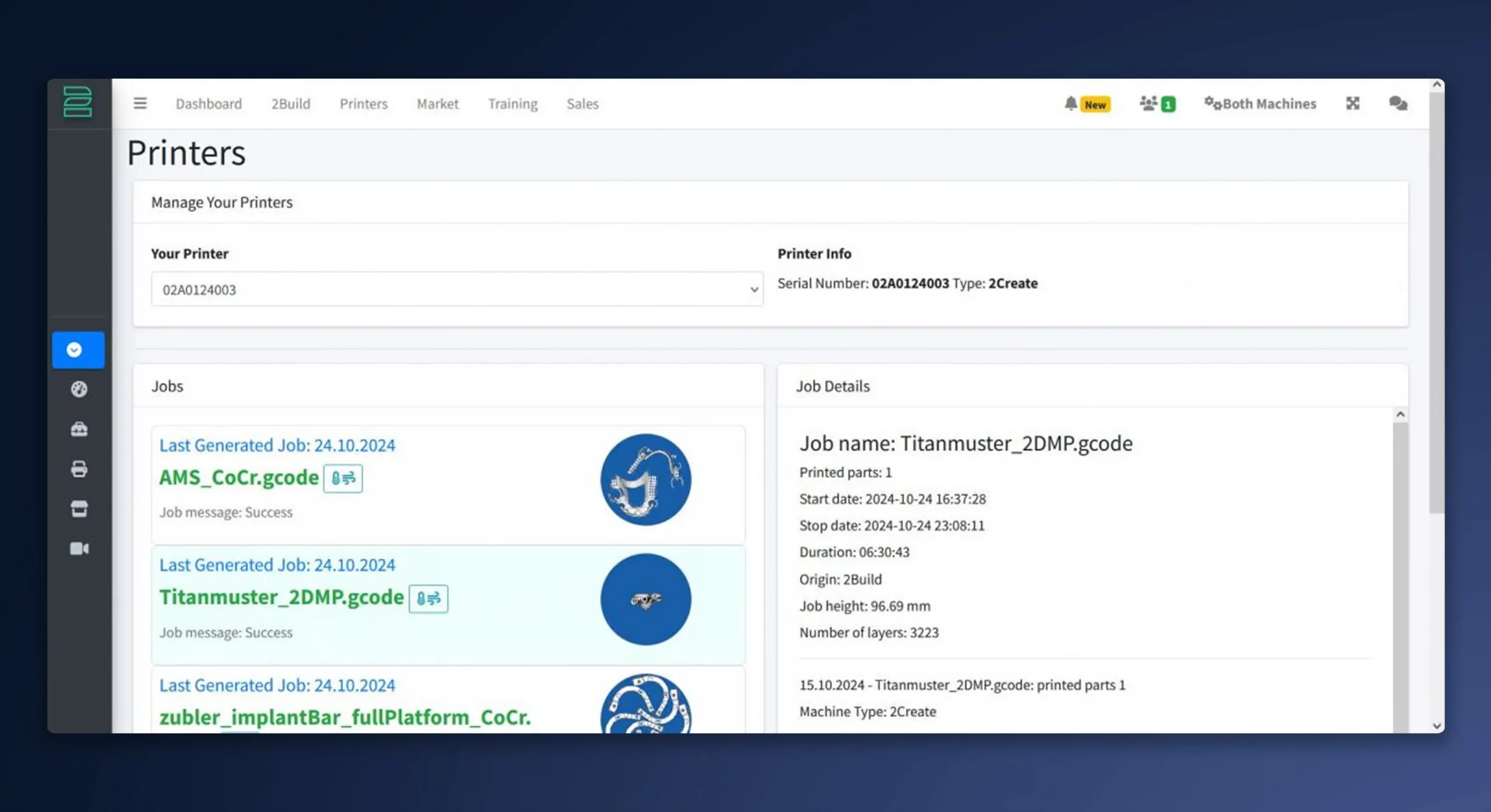
Under Printer, you can view your executed print jobs, including chosen strategies, number of completed jobs, parts and layers, duration, timestamps, and additional details for each print.
Key Features
Chosen strategies with time stamp
The number of completed printing jobs, parts and layers
Details like duration, starting and ending time
The image of the printed object also simplifies the assignment to the strategy.
Live View Insights
At Any Moment, From Anywhere
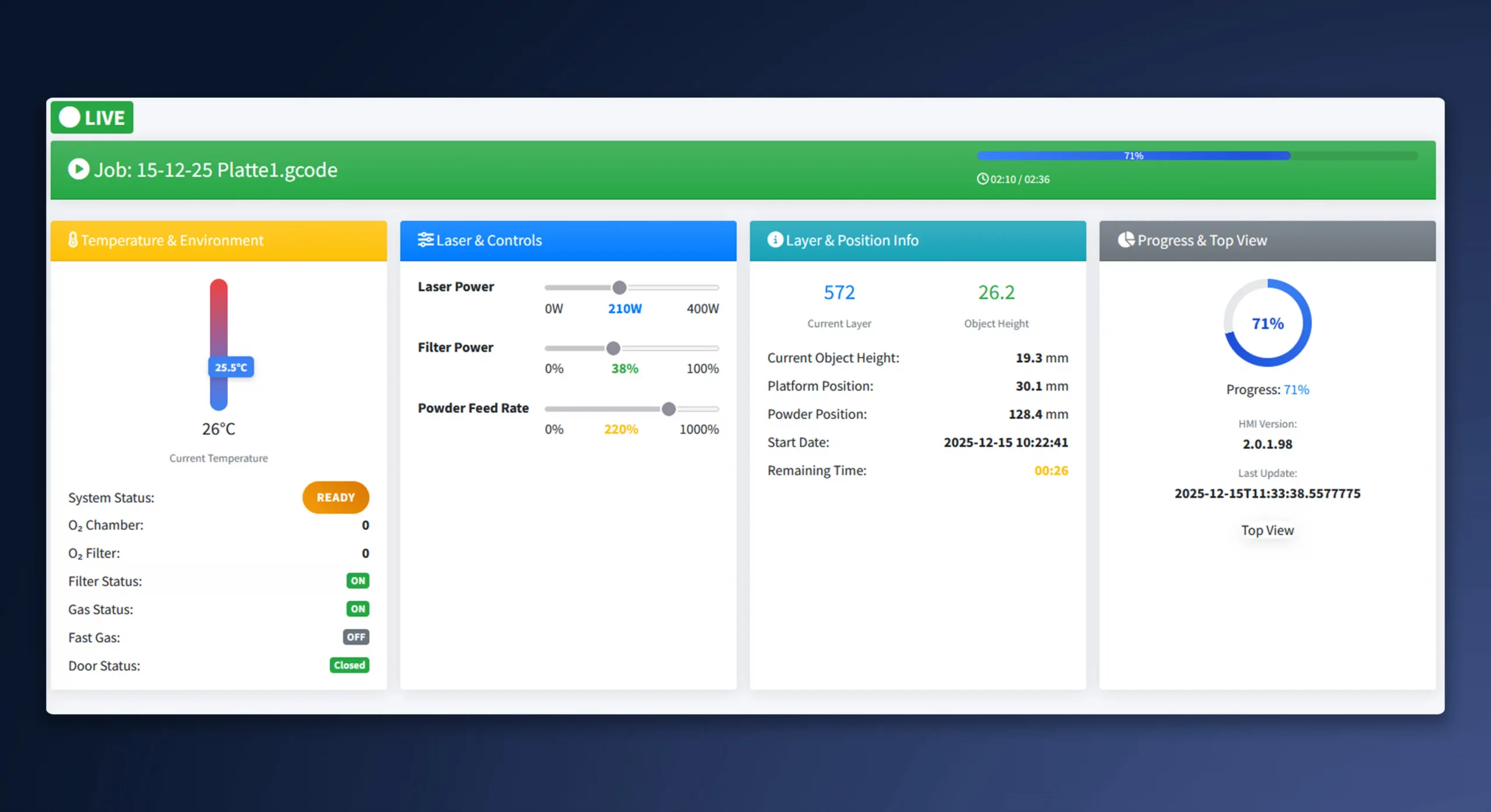
With Live View, you can monitor your print anytime, anywhere without interruption. It provides real-time insight into the build and machine status, helping you stay in control and print with confidence.
Key Features
Real-time insights into the build and machine status
Control from anywhere, anytime
2Build Software
Track Jobs and Update 2Build
Under 2Build you can see all your created print jobs and the current status of your license key. You can also see and download the latest version of your 2Build software running on your computer.
Quick and clear answers to the most frequently asked questions about 2Connect.
What Is 2Connect?
2Connect is a user-friendly platform providing a central hub for all relevant information about your metal 3D printers, including executed prints, strategies, and materials.
What Are the Key Features of 2Connect?
Dashboard: Overview of printer performance and printed parts.
Strategy Marketplace: Library of validated strategies, downloadable for free.
Live View: Monitor your print, gaining real-time insight into the build and machine status.
Training Resources: Access to videos and guides.
Project Report: Detailed reports for each printed project, including images, strategy overview, print time, and cost calculations.
Made in Germany with excellent support.
Is There Traceability of Printed Jobs?
Yes, all printed projects can be viewed online after printing.
Training Resources: Access to videos and guides.
Are the Printing Strategies Downloadable for Free?
Yes, all strategies can be downloaded for free and synchronized with 2Build.
How Do I Get Access to 2Connect?
When using 2Build, a user account for 2Connect is automatically created for the customer.
Are Specific Technical Requirements Needed for the Use?