What’s New in 2Build 1.3.0
In addition to the intelligent automation of the powder feed rate, the update brings improvements in nesting, the slicing viewer, and project reporting, complemented by targeted stability optimizations.
1. Automated Powder Feed Rate
When exporting the G-Code, the powder feed rate for each layer is automatically calculated and added to the G-Code with the M900 command. The calculation is based on the laser-processed areas of the part.
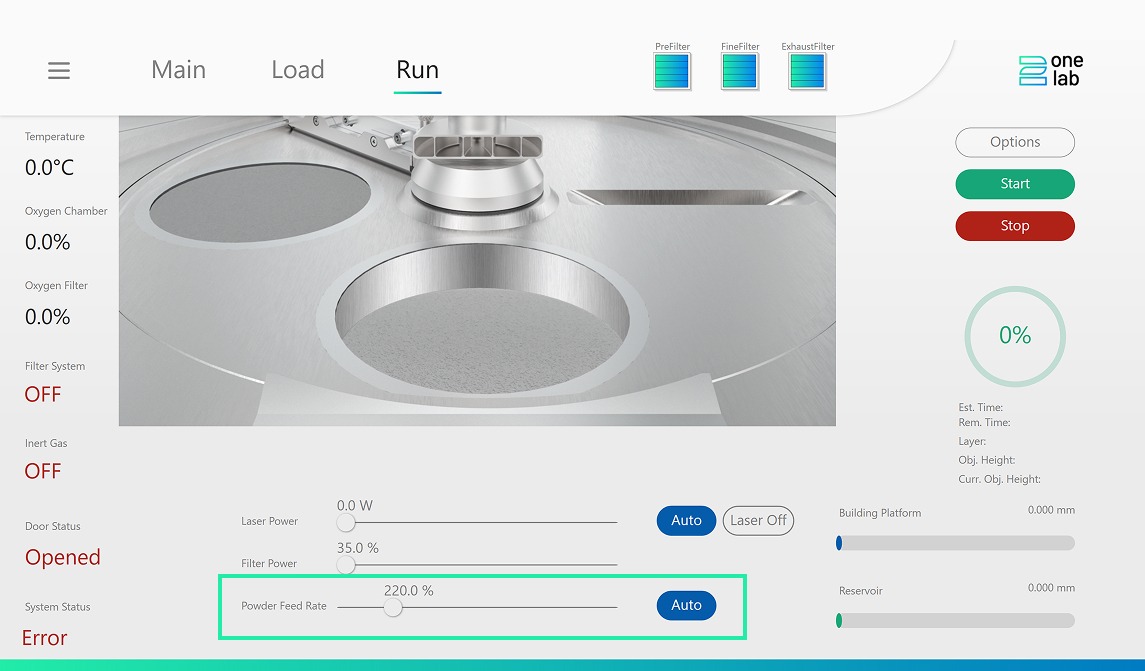
Automated Powder Feed Rate
In combination with a new HMI version, the powder feed rate is adjusted layer by layer during the print job; older HMI versions ignore the M900 command to ensure compatibility.
2. Enhanced Nesting Module Control
Two previously fixed parameters can now be adjusted directly in the nesting module:
- Maximum Calculation Time – A longer calculation time can lead to optimized nesting results
- “Nest Small Parts” Function – Allows small parts to be positioned under larger parts
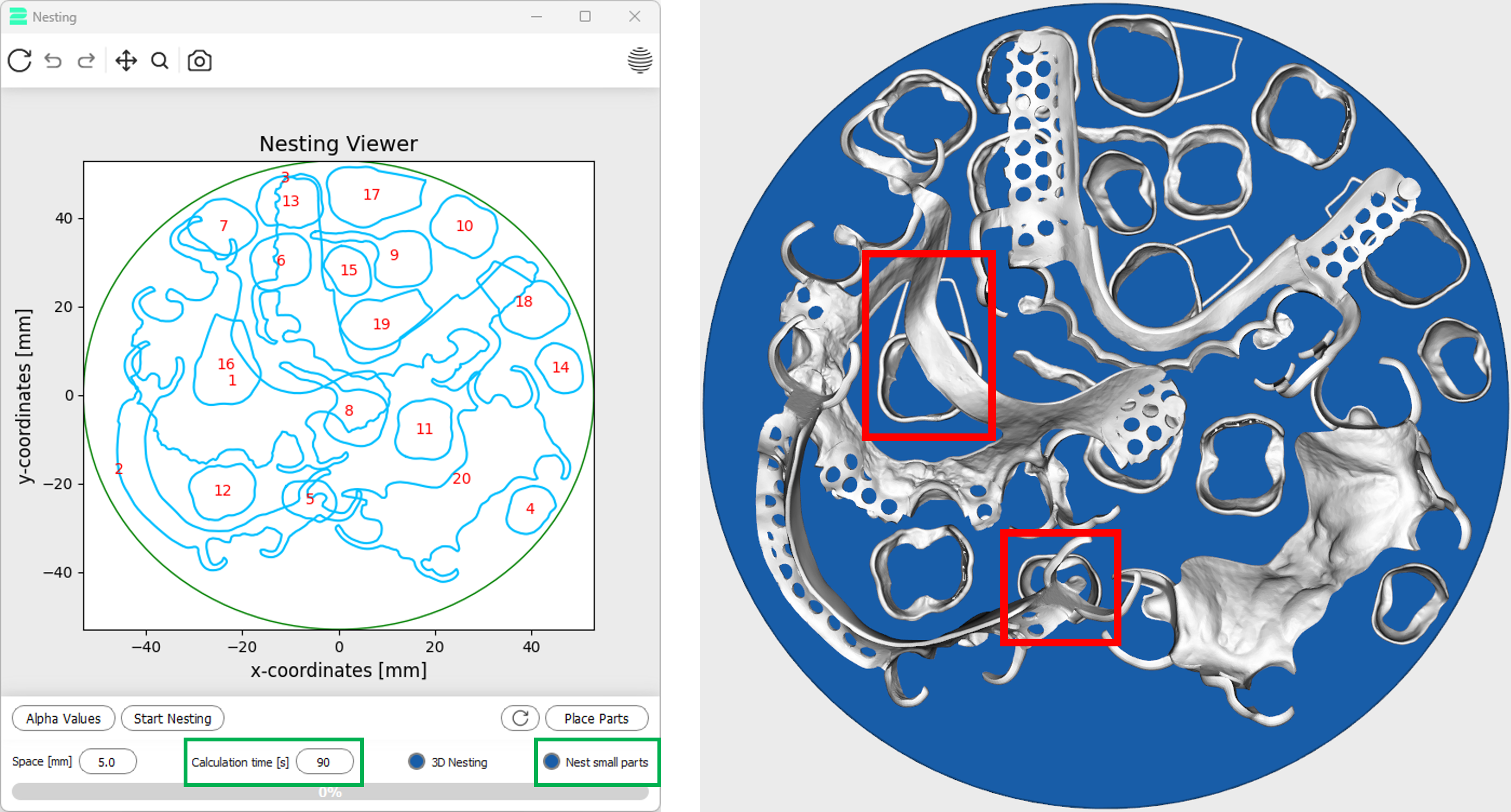
Enhanced Nesting Module Control
Background: In version 1.2.9, small parts (e.g., crowns) were deliberately not placed under larger parts to avoid affecting support structures.
For applications like small orthodontic bands, positioning under larger parts is useful – this behavior can now be controlled in version 1.3.0.
3. Adjustable Label Size
The labeling module now includes a new “Label Size” parameter.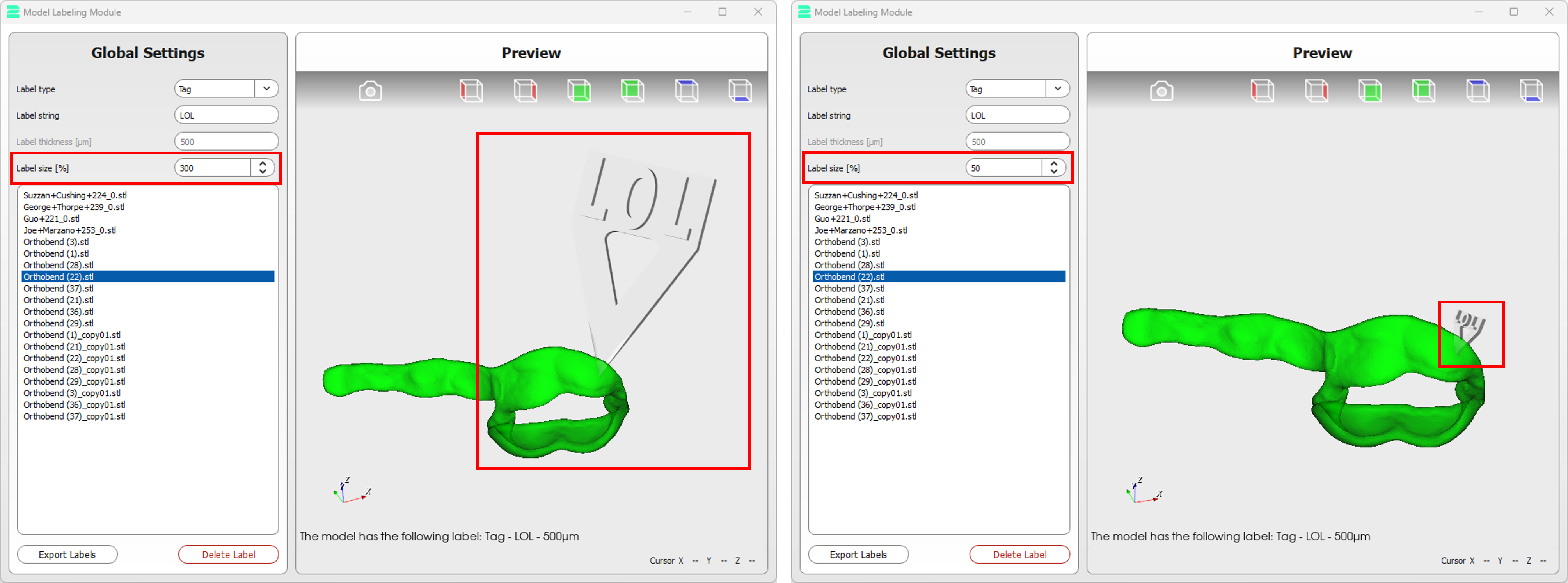
Adjustable Label Size
Label sizes can be flexibly adjusted between 50 % and 300 % to optimize labels for part geometries and individual requirements.
4. Improved Project Reporting
Project reports can now be generated directly via “Print Job Information” – without generating the G-Code first. Reports are also automatically saved as a .txt file in the temporary 2Build folder, making it easy to extract and use relevant information.

Improved Project Reporting
5. More Efficient Slicing Viewer
The performance of the slicing viewer has been significantly improved:
Even with fully loaded build platforms, scrolling through layers is smoother and display times are reduced, making layer analysis and quality control easier.
6. Additional Improvements And Bug Fixes
2Assist Module:- Expanded knowledge base of the integrated chatbot
- Fixed memory error in the nesting algorithm
- Corrected “missing layer” issue in the skeleton algorithm
- Fixed crash when starting the nesting algorithm
Conclusion
With 2Build 1.3.0, users benefit from higher material efficiency, better control, and improved performance. The new version supports stable, optimized, and more economical additive dental production processes.
Please do not hesitate to provide suggestions for future updates!

2onelab`s digital 3D printing ecosystem
Choose 2onelab’s digital ecosystem – with the 2Build CAM software and 2Connect web app.
Efficient. Connected. Precise. Powered by real-world expertise.